A Jenkins plugin that integrates the Harness CLI (hc) into Jenkins pipelines and Freestyle jobs, enabling you to push artifacts to the Harness Artifact Registry directly from your CI builds.
- A Harness account (any tier)
- A Harness Personal Access Token (PAT) in the
pat.<AccountID>.<random>.<random>format
- Install the Harness Plugin. Go to Manage Jenkins → Plugins.
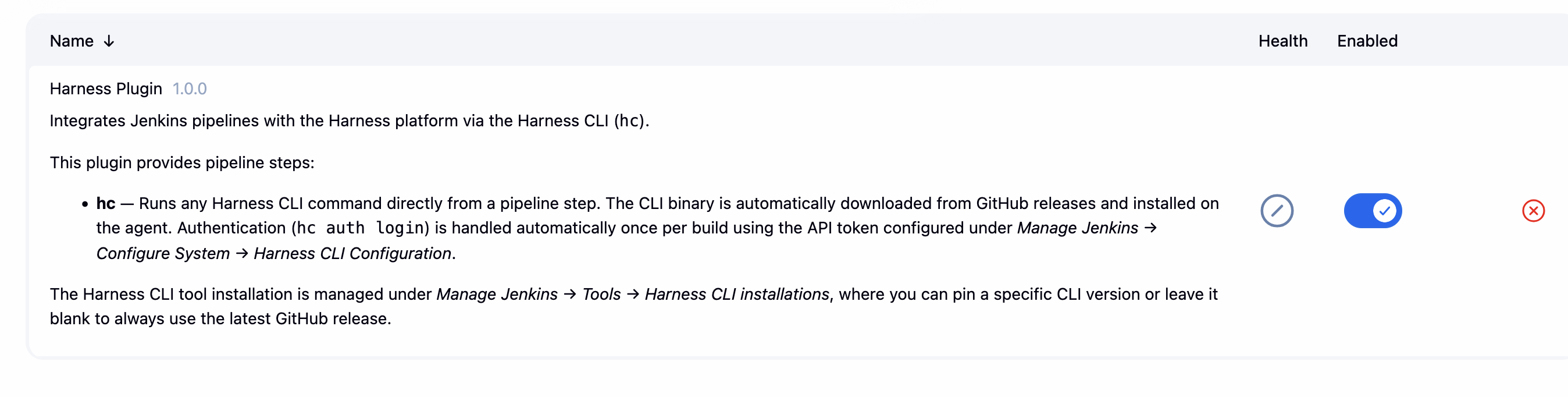
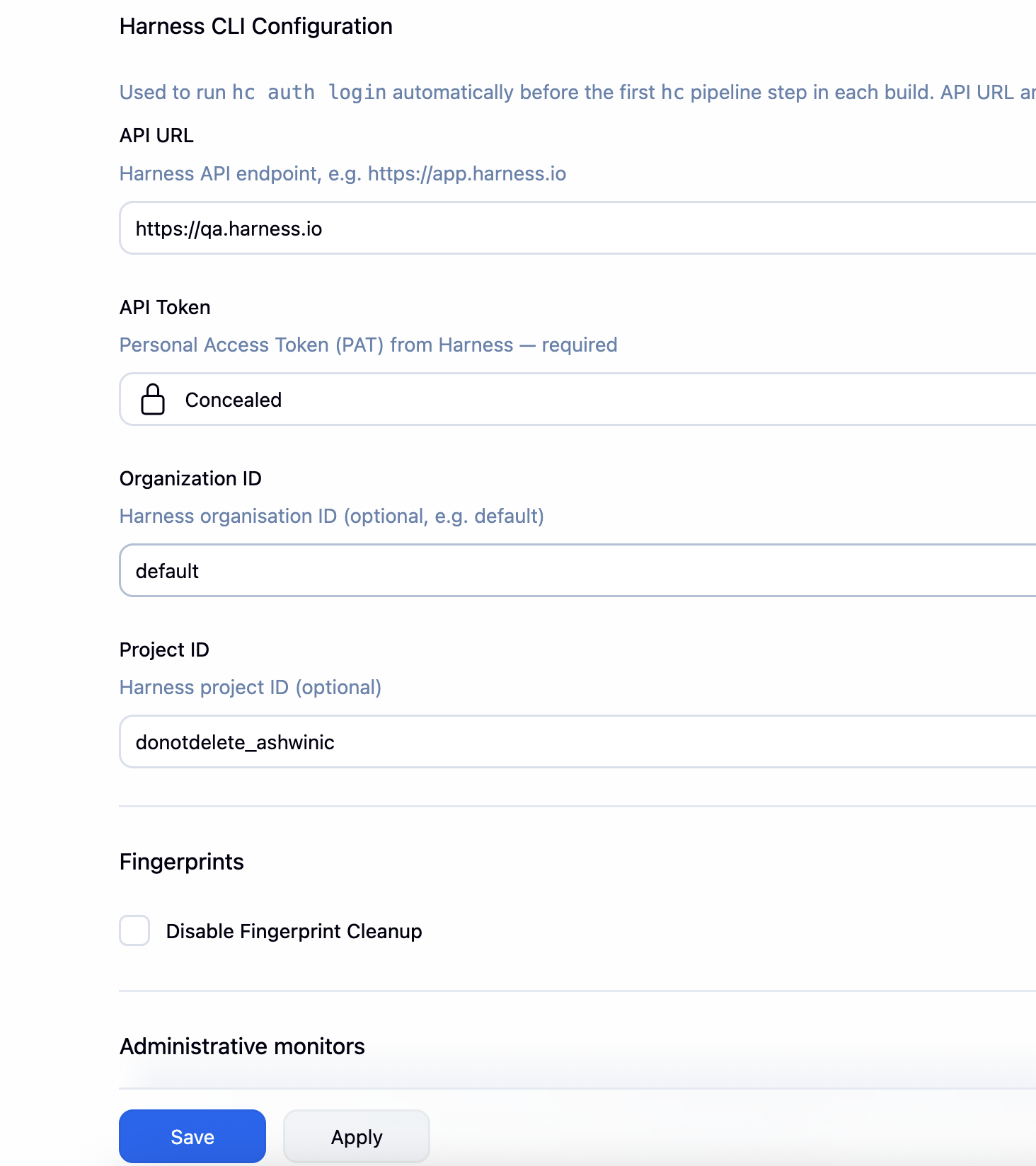
- Configure your Harness CLI details. Go to Manage Jenkins → System.
- Configure Harness CLI as a tool in Jenkins. For more information, see Configure Harness CLI as a tool section.


To use Harness CLI in your pipeline jobs, configure it as a tool in Jenkins. Go to Manage Jenkins → Tools.
If your agent has internet access, you can configure the installer to automatically download the Harness CLI from GitHub releases (harness/harness-cli).

-
Go to Manage Jenkins → Tools and then navigate to Harness CLI (hc) installations.
-
Click Add Harness CLI (hc). Provide a name (for example,
harness-cli). -
Enable Install automatically, and set the required Version.
The plugin downloads the binary from the harness/harness-cli GitHub releases automatically.

Note: To always install the latest release, leave the version field empty.
Go to Manage Jenkins → System and then navigate to Harness CLI Configuration.

| Field | Description |
|---|---|
| API URL | Harness API endpoint. For example, https://app.harness.io. |
| API Token | Personal Access Token (PAT) - stored as a Jenkins secret. |
| Organization ID | Optional. Your Harness Organization slug. For example, default. |
| Project ID | Optional. Your Harness Project slug. |
The plugin automatically runs hc auth login once per agent, per build, before the first hc step on that agent. Later hc steps on the same agent skip login. If the job later runs on a different agent, that agent logs in again. The API token is always masked in build logs. At the end of the build the plugin runs hc auth logout on each agent that logged in.
-
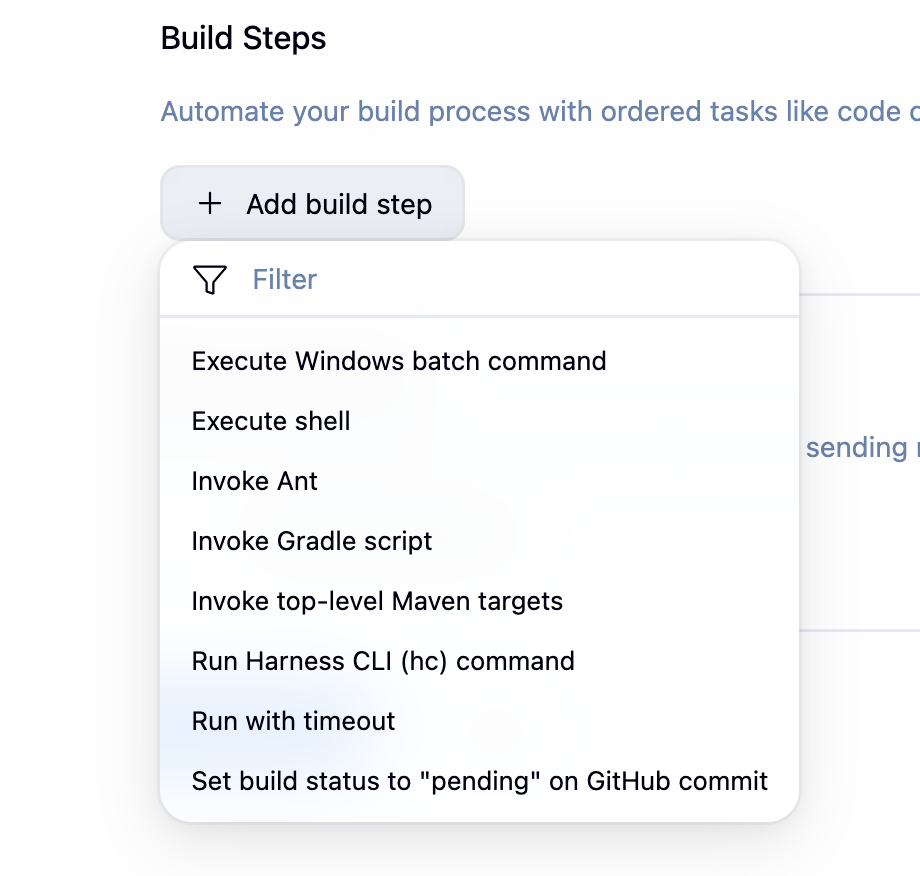
In a Freestyle job configuration, go to Build Steps → Add build step and then select Run Harness CLI (hc) command.
-
Select the CLI installation (or leave as Use hc from system PATH) and type the
hccommand to run. You may include or omit the leadinghc. For example:artifact push rpm my-repo /path/to/file.rpm.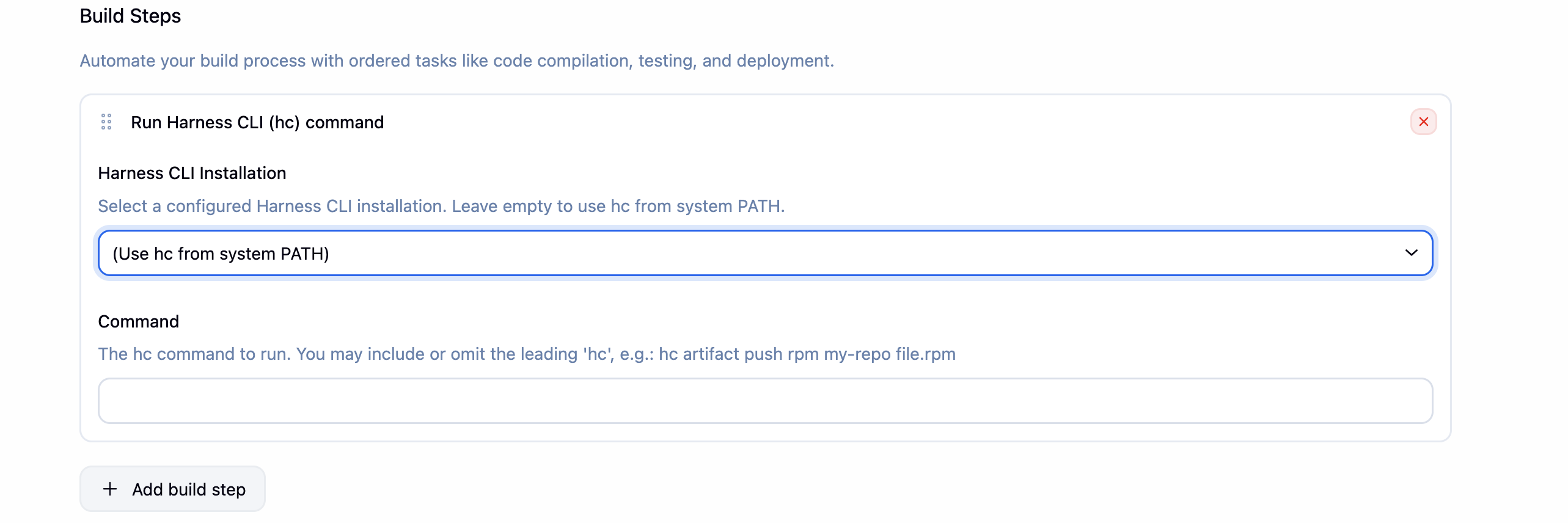


pipeline {
    agent any

    tools {
        harnessCli 'harness-cli'   // matches the name set in Manage Jenkins → Tools
    }

    stages {
        stage('Build') {
            steps {
                sh 'mvn clean package -DskipTests'
            }
        }

        stage('Push to Harness Artifact Registry') {
            steps {
                hc 'artifact push generic my-registry target/myapp-1.0.jar'
            }
        }
    }
}
pipeline {
    agent any

    tools { harnessCli 'harness-cli' }

    stages {
        stage('Push RPM') {
            steps {
                hc 'artifact push rpm rpm-repo dist/mypackage-1.0.x86_64.rpm'
            }
        }

        stage('Push Debian image') {
            steps {
                hc 'artifact push Debian Debian-repo myimage'
            }
        }
    }
}
node {
    tool name: 'harness-cli', type: 'io.jenkins.plugins.har.cli.HarnessCliInstallation'

    stage('Push') {
        hc 'artifact push generic my-registry build/output.zip'
    }
}
| Command | Description |
|---|---|
hc version |
Print installed CLI version |
hc auth status |
Check current login status |
hc artifact push generic <registry> <file> |
Push a generic artifact |
hc artifact push rpm <registry> <file.rpm> |
Push an RPM package |
hc artifact push Debian <registry> <image> |
Push a Debian image |
Note: For the full command reference, see the Harness CLI documentation.
Refer to CONTRIBUTING.md.
Apache License 2.0. Refer LICENSE.